


3D Bolt Master®: Screw Master®
4.86.08K Reviews
App Specs
- Version
- 1.4.6
- Updated On
- License
- Free
- Downloads
- 10,000,000+
- Developer
- Joymaster Puzzle Game Studio
- Categories
- Casual
- Platform
- Android, iOS
Screenshots



 Analysis by AppCompare
On a shared phone or tablet, a small puzzle game can be an easy way to fill a few spare minutes without asking everyone to learn a complicated set of rules. When I first stumbled upon 3D Bolt Master™: Screw Master®, I was curious about its unusual mechanical theme, and I found that its hands-on puzzle idea suits quick, casual play. It is best approached as a light diversion rather than a serious engineering simulator: the appeal is working through a board of bolts and screws, one decision at a time.
A quick game that can fit around a shared routine
I can imagine this working well during a quiet wait at home, such as while someone is preparing dinner and another person has a few minutes to spare. A player can take a turn, solve a puzzle, and hand the device back without needing to set aside a long block of time. The physical-looking pieces make it easy for a bystander to understand the basic aim, so it can prompt a bit of friendly discussion even when only one person is controlling the screen.
That kind of casual handoff is also where I would set expectations. It is still a game played by one person at a time, not a shared household planner or a structured group activity. If several people use the same device, agree on who is playing before opening it and avoid treating someone else’s progress as communal property. That simple boundary helps keep a relaxing pastime from turning into a disagreement over who gets the next turn.
Keep device and spending decisions with the device owner
The game is free to download, but it includes optional purchases, so I would make the usual shared-device distinction between playing and buying. A child or guest may be able to enjoy the puzzle without making a purchase, while decisions about spending should stay with the person responsible for the device and its store account. The listed in-app purchase range runs from $0.99 to $99.99 per item, a wide enough spread that I would check any purchase prompt carefully rather than tapping through it casually.
I would also avoid assuming that progress, preferences, or purchases automatically follow a player between devices or between different users. On a household device, the practical approach is to treat the game as belonging to the device’s current setup unless you have checked how your own account and backup arrangements work. If several people want separate progress, using separate devices is the clearest way to avoid confusion; I would not choose this game on the assumption that it provides household profiles or player-management tools.
Who is likely to enjoy the puzzle pace
For me, the strongest fit is someone who likes sorting, spatial reasoning, and small tactile-feeling tasks, but does not want a long story or a demanding action game. It can also suit a player who enjoys watching a puzzle unfold and suggesting a move, even if they are not holding the device. The mechanical theme gives the activity a more hands-on feel than a standard matching puzzle, while its casual format makes it easier to pick up for a short break.
I would steer away from it if you want deep mechanical realism, a construction sandbox, or a game built around a competitive multiplayer session. The bolt-and-screw presentation is a puzzle framework, not a promise of practical repair knowledge. Someone who prefers word puzzles may find the visual manipulation less satisfying, and anyone looking for a substantial narrative may want a different kind of game. Knowing which sort of relaxation you want is the best way to decide whether its focused, object-based challenges are a good match.
Worth Reading Before You Choose

EA SPORTS FC Mobile 26 Is a Bigger Football Game, but It Takes Time

Flipboard Shows What News Apps Must Do Beyond the Feed

Switching to Android Auto Means Rethinking Your Driving Routine

Google Calendar Makes a Crowded Week Easier to Manage

Ludo King Makes the Most of the Minutes Between Plans

Baby Panda World Brings Quick Play to Modern Phones, but Its Game Library Feels Busy
The Nuts and Bolts of Gameplay
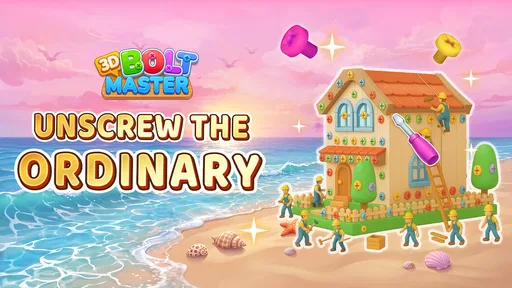
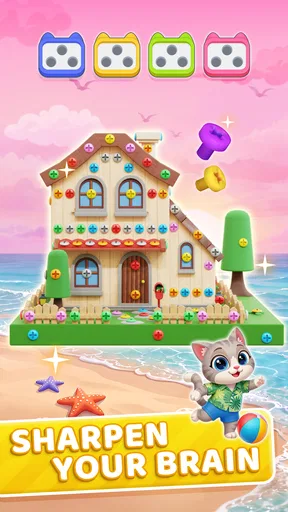
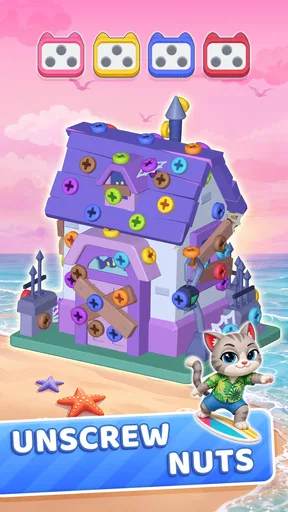
At its core, 3D Bolt Master™: Screw Master® is a puzzle game with a twist. You are tasked with solving intricate mechanical puzzles by manipulating bolts and screws to complete various structures. It's like a charming fusion of engineering and gaming, where your objective is to carefully align and secure every piece perfectly.
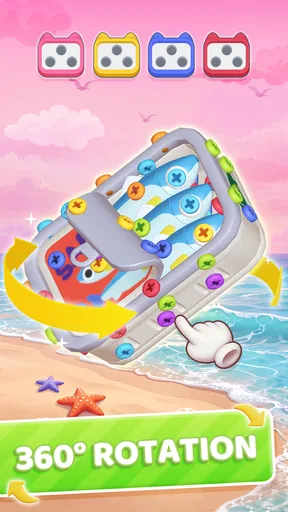
The game starts with a simple tutorial, easing you into the mechanics. You’ll quickly find yourself rotating and screwing bolts into place, feeling like a true handyman. The controls are intuitive, relying on your touch gestures to rotate, zoom, and screw in the bolts. It's easy to pick up, yet challenging enough to keep you engaged.
Graphics and Sound: A Visual Treat
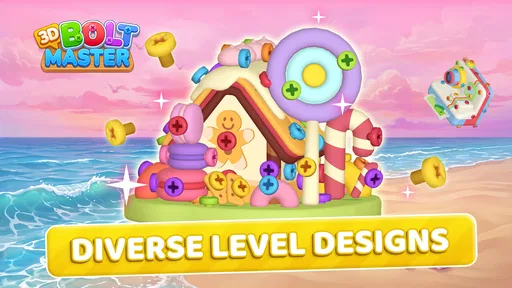
One of the first things that caught my eye was the graphics. The developers have done an excellent job with the 3D models. Each bolt and screw is rendered with a surprising level of detail, making the game visually satisfying. The environments are minimalistic, focusing your attention on the task at hand.
Sound plays a significant role in the game as well. The whirring of the screws and the click of a bolt fitting into place are oddly satisfying. It's like ASMR for puzzle enthusiasts. The background music is subtle yet engaging, providing a soothing ambiance as you tackle each level.
Reading the board before making a move
The main skill I would encourage new players to practise is pausing to inspect the arrangement before tapping. Because the puzzle is presented in three dimensions, a piece that looks accessible from one angle may be harder to judge from another. Rotating the view first can help you see which parts are actually in the way, while zooming in is useful when several pieces sit close together. This small habit can make the interaction feel deliberate instead of like trial and error.
I also find it helpful to think in terms of sequence, not just the next attractive move. If removing or repositioning one bolt changes what can be reached afterward, committing too quickly may leave the remaining layout harder to read. When I hit a sticking point, I would rather take a moment to inspect the whole structure again than tap repeatedly and lose track of what changed. The game’s tactile feedback is satisfying, but the puzzle still rewards a little patience.
Challenges and Levels: Keeping You Hooked
The game offers a wide variety of levels, each with its own set of challenges. As you progress, the puzzles become increasingly complex, requiring more strategic thinking and precision. There’s a sense of accomplishment when you finish a particularly tough level, making the game highly addictive.
What I appreciate most is the game’s ability to balance difficulty. It never feels overwhelmingly hard, but it does require some thought and patience. The levels are well-designed, ensuring that you’re always learning and adapting your strategies.
Where it sits beside other casual puzzles
Compared with the usual match-three game, this one asks me to inspect a physical arrangement rather than scan a grid for a familiar pattern. Compared with a classic jigsaw, the challenge feels more about access, order, and manipulating the view than fitting flat pieces together. That difference is its clearest strength: if you enjoy turning an object around and working out what to move first, the bolt theme gives a familiar casual session a more spatial, tactile character.
The trade-off is that it may feel narrower than a collection of mini-games or a puzzle app with several different modes. Its central appeal stays focused on screws, bolts, and structures, so the enjoyment depends on whether that repeated style holds your attention. I would choose a broader puzzle collection when I want variety in one sitting; I would choose this when I specifically want a calm, visual problem to work through without switching between unrelated activities.
Free to Play, With Extras
3D Bolt Master™: Screw Master® is free to download, with optional in-app purchases. These purchases range from special tools to hints that can help you out of a tight spot. While the game is perfectly enjoyable without spending a dime, the extras can enhance your experience if you choose to indulge.
Ads are present, but they’re not intrusive. They appear between levels, allowing you to continue your puzzle-solving journey with minimal interruptions. If they do become a bother, there’s always the option to opt for ad-free gameplay through a small purchase.
What to expect before installing
Joymaster Puzzle Game Studio makes this casual game, which is free to install and rated for Everyone. It was released on Jan 24, 2025, and version 1.3.3 is listed for devices running Android 7.0 or later. I find those details useful for a household deciding whether an older Android device can run it, but they do not change the basic point: the game is built around short, focused puzzle sessions rather than a long-form campaign.
Its average rating is 4.8 from around 344,000 ratings, and it has over 10 million installs. Those figures suggest that the format has found a broad audience, though they cannot tell you whether its particular pace and repeated mechanical theme will suit your household. I would use them as context, not as a substitute for thinking about who will play and what they expect from a casual game.
Age, attention, and a sensible household fit
An Everyone age rating makes the game approachable for a broad range of players, but I would still consider the child’s patience and the way the device is shared. Younger players may enjoy the visible pieces and the straightforward touch interaction, while trickier layouts can be a reason for an adult to join in with suggestions. That can turn a puzzle into a low-pressure moment of cooperation without requiring a separate family mode or any special account setup.
For younger children, I would keep the device owner nearby when purchase prompts might appear and explain that the game itself is free to download while optional items cost money. This is a practical boundary, not a reason to assume the game has particular parental controls. For older players, the more relevant question is whether they like careful visual reasoning; an age rating does not guarantee that every puzzle will feel equally easy or engaging to each person.
A realistic way to share the experience
Imagine a family waiting for a ride or taking a quiet break at home. One person can hold the device and rotate the structure, while another points out a bolt that may be blocking the next move. They can switch after a level, or simply let the current player finish before passing the device along. The useful part is that the puzzle gives spectators something concrete to discuss, rather than requiring everyone to follow a story or learn several controls.
For smoother turns, I would agree in advance whether players are taking turns by level or whether one person is simply showing the game to the others. If a puzzle becomes frustrating, taking a short break is better than making rushed moves just to hand over the device. This is a small but worthwhile trade-off: the game’s calm presentation encourages lingering, yet a shared screen means the household still benefits from clear turn-taking.
When I would pick something else
I would not recommend this as the main choice for a household that wants everyone playing simultaneously, competing head-to-head, or progressing through independent profiles on one screen. Nor would I pick it for someone who wants a reliable offline routine without first checking how it behaves on their own device and connection. If the priority is a party game, a word game for several players, or a broader puzzle sampler, those alternatives are a better fit for the specific occasion.
For an individual player, the key limitation is repetition: even as the layouts grow more demanding, the core activity remains centred on manipulating mechanical pieces. That consistency is comforting when I want a familiar kind of challenge, but it can become stale if I am in the mood for a change of pace. I would treat it as one focused option in a casual-game rotation, not a replacement for every other kind of puzzle.
Conclusion: A Surprisingly Addictive Experience
Overall, my time with 3D Bolt Master™: Screw Master® has been thoroughly enjoyable. The combination of satisfying mechanics, beautiful graphics, and clever level design makes it a standout in the puzzle genre. Whether you’re a fan of puzzles or just looking for a relaxing way to unwind, this game has something to offer.
In a world filled with countless games vying for attention, this app manages to carve out its own niche. It’s a testament to how a simple concept, executed well, can provide hours of entertainment. So, if you’re ready to screw your way to victory, give it a try. You might just find yourself hooked, one bolt at a time.
My household verdict
I would recommend it to someone who enjoys tactile-looking puzzles, wants a relaxed activity for spare moments, and is comfortable with a game whose main idea stays consistent. It can work nicely as a shared-device conversation starter when players take turns and keep account and purchase decisions with the device owner. If you want multiplayer competition, several distinct puzzle styles, or a game designed around separate household profiles, I would look elsewhere. For the right player, though, its measured pace and satisfying bolt-by-bolt problem solving make it an easy casual game to return to.
Pros
- Intuitive controls for easy gameplay.
- Wide variety of levels to keep you engaged.
- Stunning 3D graphics enhance experience.
- Quick loading times for immediate play.
- Frequent updates with new features.
Cons
- Occasional ads can interrupt gameplay.
- Limited in-app purchase options.
- Some levels feel repetitive.
- Requires constant internet connection.
- High battery consumption on extended play.
FAQs for 3D Bolt Master®: Screw Master®
What is the main objective of 3D Bolt Master™: Screw Master®?
The main objective of 3D Bolt Master™: Screw Master® is to engage players in a unique puzzle-solving experience where they must correctly place bolts and screws to complete intricate designs. The game challenges players' spatial awareness and precision, offering an addictive blend of strategy and dexterity.
Is 3D Bolt Master™: Screw Master® free to play?
Yes, 3D Bolt Master™: Screw Master® is free to download and play. However, it offers in-app purchases for users who wish to enhance their gaming experience with additional features, such as extra tools, hints, or ad-free gameplay. These purchases are optional and not required to enjoy the core game.
What platforms is 3D Bolt Master™: Screw Master® available on?
3D Bolt Master™: Screw Master® is available on both Android and iOS platforms. Users can download it from the Google Play Store for Android devices and the Apple App Store for iOS devices, ensuring broad accessibility for mobile gamers.
Does 3D Bolt Master™: Screw Master® require an internet connection?
No, 3D Bolt Master™: Screw Master® can be played offline, making it a great option for those who want to enjoy the game without needing a continuous internet connection. However, some features, such as in-app purchases or updates, may require online access.
Are there any age restrictions for playing 3D Bolt Master™: Screw Master®?
3D Bolt Master™: Screw Master® is designed for a general audience and is suitable for players of all ages. However, parental guidance is recommended for younger players due to optional in-app purchases. The game’s puzzles are intended to be family-friendly, promoting cognitive development and problem-solving skills.


